The fastest way to spot fake AirPods is to match the serial numbers, watch how iOS reacts when you pair them, and test the case hinge. Modern fakes copy the look almost perfectly, so the giveaways now live in software behavior and small hardware details. I checked hundreds of AirPods listings during my marketplace years, and these seven checks are the ones that still work across every generation.
Run the serial number through Apple’s checker
Every genuine pair of AirPods carries one serial number in three places. It is printed on the underside of the case lid, on the original box, and it appears on your iPhone under Settings, Bluetooth, then the info button next to the connected AirPods. All three must match exactly.
Run that serial through Apple’s official checker at checkcoverage.apple.com. A genuine serial returns the right product name and its coverage status. A serial that returns nothing, or points to a different Apple product, ends the conversation right there.
Here is the part most guides skip. Counterfeiters lift valid serials from real AirPods and print the same one on thousands of fake boxes. A passing serial proves the serial exists, not that the product in your hand is real. I treat it the same way I treat reference numbers in my fake Rolex guide, one signal among several. A mismatch between lid, box, and iPhone is the far stronger tell.
Start with the box and what is inside
Apple packaging is expensive to reproduce well, so most counterfeits cut corners here first. The box should be rigid, heavy card stock with crisp, evenly spaced printing. Blurry product photos, thin cardboard, or ink that looks slightly off tone are early warnings.
Check the shrink wrap and the pull tab. Genuine Apple wrap is tight, thin, and opens with a clean tear strip. Fakes often use loose, thick plastic with sloppy folds on the corners.
Look at what is inside. Recent AirPods ship with a USB-C cable, older generations used Lightning, plus documentation, and the Pro models include spare ear tips in sized packets. Missing tips, a cable with rough molding on the connector, or paperwork with spelling errors are common counterfeit shortcuts. The serial printed on the box must match the one on the case lid, which ties this check back to the first one.
Inspect the case: hinge, seams, and text
The charging case is where fakes fail most often, because the mechanical parts are hard to clone cheaply. Open and close the lid a few times. A genuine hinge feels damped and solid, and the lid snaps shut with a firm magnetic clunk. Fake hinges feel loose, rattle side to side, and close with a hollow plastic click.
Run a fingernail along the seam between the lid and the body. On a real case the gap is even the whole way around. Uneven gaps, sharp edges, or visible glue mean a counterfeit shell.
Check the small details next. The status LED should sit perfectly centered, the charging port should be flush and evenly framed, and any text on the case should be razor sharp under a bright light. Fuzzy or grey looking text is one of the most consistent counterfeit tells I saw across thousands of listings.
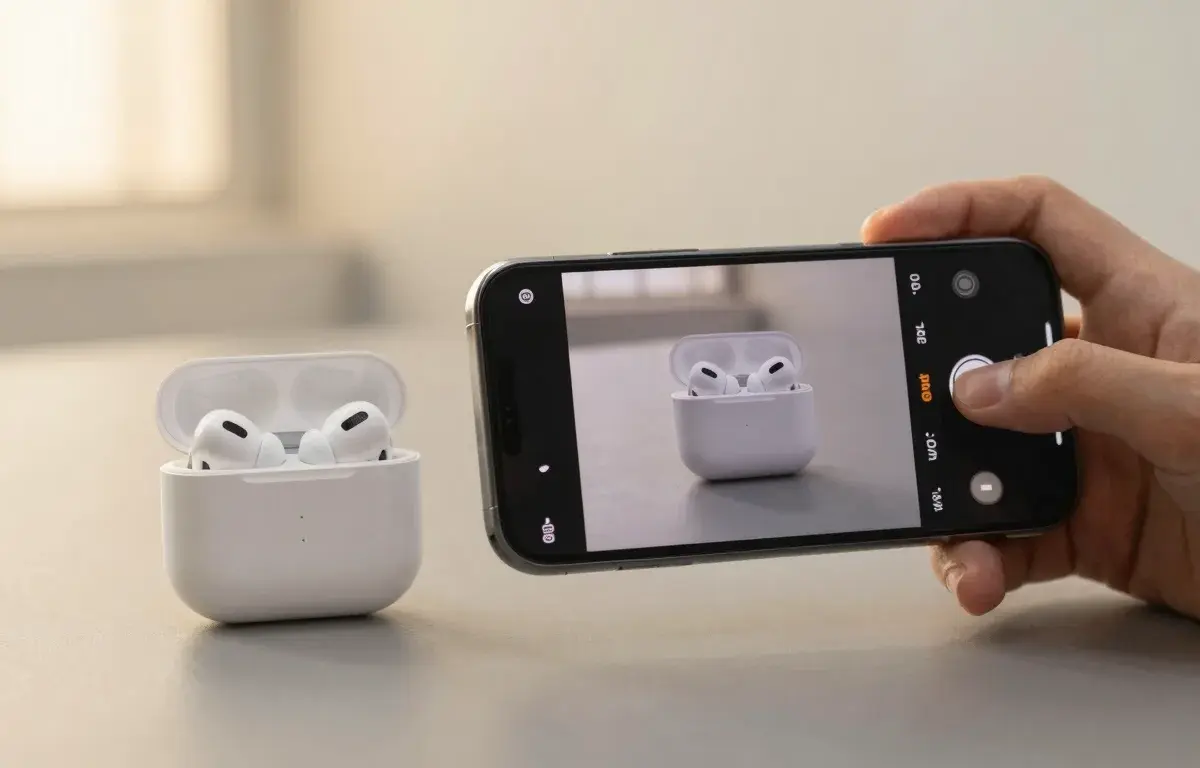
Photograph the item and Legit Check runs these same checks in seconds, returning a confidence score and the reasoning behind it.
Look closely at the earbuds themselves
Pull the buds out and look at the speaker mesh first. Genuine mesh is a fine black metallic weave, perfectly shaped and seated. Fakes often use a fabric-like mesh, an irregular oval, or mesh that sits crooked in the opening.
Find the ear detection sensors, the small dark ovals on the inner face of each bud. On real AirPods they are glossy, precisely cut, and identical between left and right. Painted-on sensors or mismatched shapes are a fail.
Weight matters too. Genuine buds have a dense, balanced feel from the battery and drivers inside. Counterfeits are usually a touch lighter and feel hollow when tapped.
These are exactly the details that are hard to judge from memory while you stare at a listing. Legit Check reads these physical signals, mesh shape, sensor placement, text spacing, straight from your photos and returns a reading with the reasoning behind it. You can see what the AI looks for on the how it works page.
Pair them and let iOS do the work
The pairing pop-up used to be the go-to test, and it no longer works on its own. Modern fakes spoof Apple’s pairing chip well enough to trigger the same animation on your iPhone. Do not clear a pair of AirPods because a card slid up the screen.
What fakes cannot spoof is the rest of iOS. Recent iOS versions actively detect counterfeit AirPods and can show a Cannot Verify AirPods alert during setup. If you see that warning, believe it.
After pairing, open Settings on your iPhone. Genuine AirPods get their own pane near the top of Settings with the firmware version, noise control options, and ear detection toggles. Fakes connect as generic Bluetooth headphones and never earn that pane. Check for firmware updates over time as well. Counterfeits never receive them.
Test the features fakes cannot copy
Ear detection is a fast one. Play music, pull one bud out, and the audio should pause instantly. Fakes either skip this feature or imitate it with a crude delay.
On Pro models, test noise cancellation somewhere with steady background noise. Real ANC produces an obvious pressure-like drop in low frequency sound. Counterfeit ANC is usually a mild volume trick or nothing at all.
Find My is the hardest feature to fake. Genuine AirPods appear in the Find My app under your devices, with live location and play-sound support. Clones cannot join Apple’s Find My network. If a seller insists the AirPods are real but they will not show in Find My, walk away.
Battery reporting gives fakes away too. Real AirPods show accurate, independent battery levels for each bud and the case. Counterfeits often display identical, static percentages that never seem to drain.
Price and seller red flags before you buy
Price is still the strongest single predictor. AirPods have a real wholesale floor, and nobody sells sealed current generation pairs at 60 percent off in bulk. A deal that beats every retailer by a wide margin is the product telling you what it is.
On marketplaces, read the seller before the listing. Stock photos only, no serial visible, a brand new account with dozens of identical pairs, and vague answers about the serial number are the classic counterfeit patterns I flagged daily as a moderator. Ask for a photo of the serial on the case lid and verify it while the listing is still open. More device-specific guides live in the electronics category.
For anything beyond pocket money I stack two layers before paying. I run the seller’s photos through Legit Check for an AI read on the hardware details, then verify the serial against Apple once the box is in hand. Neither layer alone is perfect. Together they catch nearly every fake AirPods listing I have seen.
Frequently asked questions
Legitly offers AI-assisted guidance, not guaranteed authentication. For high-value purchases, confirm with a professional authenticator.